Cyber Hygiene Defined in Plain Terms
Cyber hygiene is the set of routine practices that keep your systems, devices, accounts and data secure. Like personal hygiene, it is a handful of simple habits done consistently rather than one big project. Patching software, using strong passwords, turning on multi-factor authentication and keeping backups are its core.
The reason it matters is blunt. Most breaches do not come from exotic new attacks. They come from the basics left undone. The Center for Internet Security says almost all successful attacks take advantage of conditions that could reasonably be described as poor hygiene.
That makes hygiene the highest-value security work most organisations can do. Under NIS2, in force in Sweden as Cybersäkerhetslagen since January 2026, it is also a legal duty.
The Core Areas of Cyber Hygiene
Good cyber hygiene is not a single tool. It is a set of routines across a few core areas. The Center for Internet Security groups the essentials into what it calls Implementation Group 1, the baseline every organisation should reach first. In practice they come down to the following.
- Know what you have: Keep a current inventory of the devices, software and cloud services on your network. You cannot protect or patch what you do not know exists.
- Patch and update: Apply security updates to operating systems, applications and firmware on a schedule and faster for anything internet-facing.
- Control access: Give people the least access they need to do their jobs, remove accounts when they leave and protect every login with multi-factor authentication.
- Use strong, unique passwords: Require long passphrases, ban reused and common passwords and give staff a password manager so good passwords are the easy option.
- Protect endpoints and email: Run reputable endpoint protection, filter email for phishing and malware and keep both current.
- Back up and test restores: Keep regular backups, store at least one copy offline or immutable and test that you can actually restore from them.
- Monitor and log: Collect and review logs so problems get caught early rather than after the damage is done.
None of this is exotic. The difficulty is not knowing what to do. It is doing it consistently across every system, every month.
Common Cyber Hygiene Gaps
If the core areas are where hygiene should be strong, these are where it usually is not. The same gaps turn up in breach after breach and the numbers are consistent.
The Verizon 2025 Data Breach Investigations Report which analysed more than 12,000 confirmed breaches found the human element involved in around 60% of them. Vulnerability exploitation was the way in for about one in five breaches, up 34% on the year, and breaches involving a third party doubled from 15% to 30%. None of those require a sophisticated attacker. They require a gap left open.
- Unpatched known flaws: Systems left running with a fix already available sometimes for months, are among the most common ways attackers get in.
- Weak or reused passwords: One password used across several accounts means one leak unlocks many doors.
- No multi-factor authentication: Where a password alone is enough, a stolen password is enough. MFA removes that single point of failure.
- Stale accounts and standing access: Old employee logins, unused admin rights and forgotten service accounts are access nobody is watching.
- Shadow IT and unmanaged devices: Tools, apps and personal devices the security team does not know about cannot be patched, monitored or protected.
- No tested backups: Backups that were never tested have a habit of failing at the worst possible moment, when you need to restore after ransomware.
- Unmanaged suppliers: A supplier with weak security and access to your data or systems becomes your problem the moment they are breached.
Each of these has a straightforward fix. What they share is that the fix is dull, easy to defer and invisible until the day it matters.
The Business Impact of Poor Cyber Hygiene
When hygiene fails, the cost is rarely just the incident itself. IBM’s 2025 Cost of a Data Breach Report put the global average cost of a breach at 4.44 million US dollars. That figure fell for the first time in five years, mostly because organisations are detecting and containing breaches faster which is itself a hygiene outcome.
The headline number hides several separate costs. There is the downtime while systems are rebuilt, the data that is lost or leaked, the fines and legal exposure that follow a breach of personal data and the slow damage to trust with customers and partners. For a small organisation, any one of these can be existential.
The uncomfortable part is that these costs usually trace back to something ordinary, an unpatched server, a login without MFA or a backup that failed. Good hygiene is far cheaper than any of them and that is the whole argument for it.
Real-World Cases
The pattern is easiest to see in real breaches. In each of the three cases below, one ordinary hygiene failure opened the door.
Equifax, 2017
In 2017 attackers broke into the US credit agency Equifax through a known flaw in Apache Struts, the software running one of its public web portals. A patch for the flaw had been available since March that year. The attackers first got in around two months later.
By the time Equifax noticed and closed the hole, the personal data of about 147 million people had been taken. A later congressional investigation found the company had not kept to its own patching schedule and lacked a full inventory of its systems, so the vulnerable server was missed.
The control that would have stopped it is unglamorous. Apply security patches promptly and keep an asset inventory so nothing slips through the gaps.
Snowflake Customer Accounts, 2024
In 2024 attackers reached data held by around 165 organisations through their accounts on the cloud platform Snowflake . Snowflake’s own systems were not breached. The attackers simply logged in using usernames and passwords stolen earlier by malware, to customer accounts that had no multi-factor authentication switched on.
Because a password alone was enough, valid credentials opened the door directly. Data belonging to customers including a large ticketing company and a major telecoms operator was taken and held for ransom. A suspect was later arrested and Snowflake moved to make MFA easier to enforce.
One control covers this. Turn on multi-factor authentication everywhere so that a stolen password on its own is never enough to get in. Microsoft reports that MFA blocks more than 99.2% of account compromise attacks.
Miljödata, 2025
In August 2025 a ransomware attack hit Miljödata, a Swedish supplier whose HR software is used by around 80% of the country’s municipalities. The attackers did not need to breach each council. They only had to breach the one supplier they all depended on.
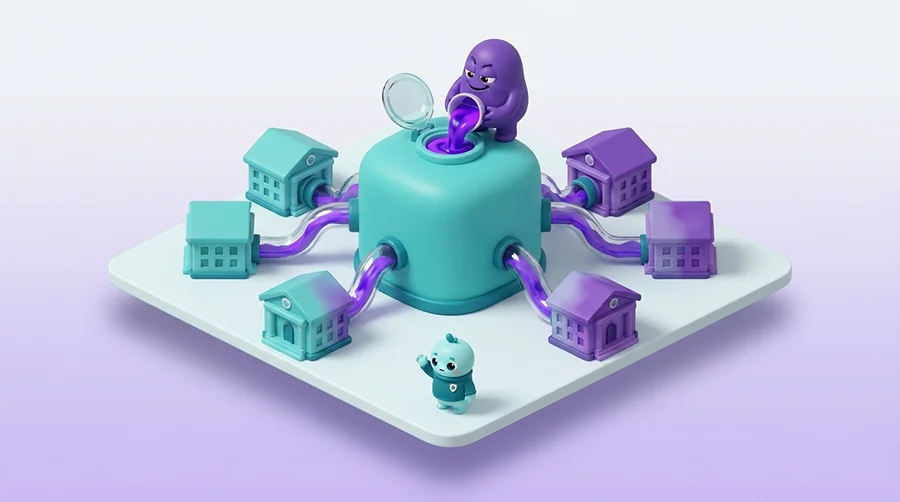
Swedish authorities confirmed 164 municipalities and four regions were affected out of Sweden’s 290 municipalities with sensitive HR and health records exposed and later published online. It was one of the widest-reaching cyber incidents in the country’s recent history from a single point of failure.
This is supply-chain hygiene. Know which suppliers hold your data or connect to your systems, set security expectations in the contract and keep tested backups so a supplier’s bad day does not become your outage.
Cyber Hygiene and Compliance
In the EU, cyber hygiene is no longer just good practice. It is written into law. NIS2, the bloc’s main cybersecurity directive, lists ten minimum security measures and one of them, Article 21(2)(g), is literally “basic cyber hygiene practices and cybersecurity training”.
The same list covers the rest of the basics. Backup and business continuity sit in Article 21(2)(c), supply-chain security in 21(2)(d), vulnerability handling in 21(2)(e), access control and asset management in 21(2)(i) and multi-factor authentication in 21(2)(j).
In Sweden this arrived as Cybersäkerhetslagen, in force since 15 January 2026 and under NIS2 Article 20 as transposed into the Act, members of the management body can be held personally accountable for failures in cybersecurity risk management. IIt also requires significant incidents to be reported through the national CSIRT within 24 hours as an early warning followed by a fuller notification at 72 hours and a final report within one month. Confirm the current recipient, as Sweden’s single point of contact and CSIRT functions moved to the National Cybersecurity Centre at FRA in mid-2026. You can read the detail on our NIS2 compliance in Sweden page.
Other regimes point the same way. GDPR Article 32 requires appropriate technical and organisational measures to keep personal data secure, which is hygiene by another name. Financial firms face similar duties under DORA and ISO 27001 certification is built on the same baseline of controls. The frameworks differ but they ask for the same routine discipline.
Personal Cyber Hygiene
Cyber hygiene is not only an organisational job. The same habits protect you as an individual, at home and at work, and your personal accounts are often the softest way in to everything else.
- Use a password manager: Let it generate and remember a long, unique password for every account so you never reuse one.
- Turn on multi-factor authentication: Add it to email, banking and social accounts first since these unlock the rest.
- Keep devices updated: Switch on automatic updates for your phone, computer and apps so fixes install themselves.
- Think before you click: Treat unexpected links, attachments and urgent requests with suspicion even when they look like they come from someone you know.
- Back up what matters: Keep a copy of important photos and files somewhere separate so losing a device is an inconvenience rather than a disaster.
- Secure your home network: Change default router passwords and keep the router’s firmware up to date.
These are the same four or five habits security teams try to build across a whole organisation. Done for yourself, they take an afternoon to set up and quietly work in the background after that.
Cyber Hygiene Best Practices
Here is a practical cyber hygiene checklist for an organisation. None of it is advanced. The value is in doing all of it and keeping it up.
- Inventory your assets: Keep a live list of every device, application and cloud service and review it regularly.
- Patch on a schedule: Update all software and firmware routinely and prioritise anything internet-facing or marked critical.
- Enforce MFA everywhere: Require multi-factor authentication on every account with priority on email, admin and remote access.
- Manage identities and access: Apply least privilege, review permissions periodically and remove accounts the moment someone leaves.
- Strengthen passwords: Require long passphrases, block reused and breached passwords and roll out a password manager.
- Protect endpoints and email: Deploy endpoint protection and email filtering across all devices and keep them current.
- Back up and test restores: Follow a 3-2-1 approach, keep one copy offline or immutable and test restores so you know they work.
- Monitor, log and have a plan: Collect logs, review them and keep an incident response plan you have actually rehearsed.
- Manage your suppliers: Map who holds your data or has access, set security requirements in contracts and review them.
- Train your people: Run regular, role-based security awareness training so staff can spot phishing and know how to report it.
Work down the list, fix the gaps you find and set a date to check it again. The last item, training, is where technology meets people and it is the one most organisations underinvest in. If that is your gap, structured security awareness training is a practical place to start.