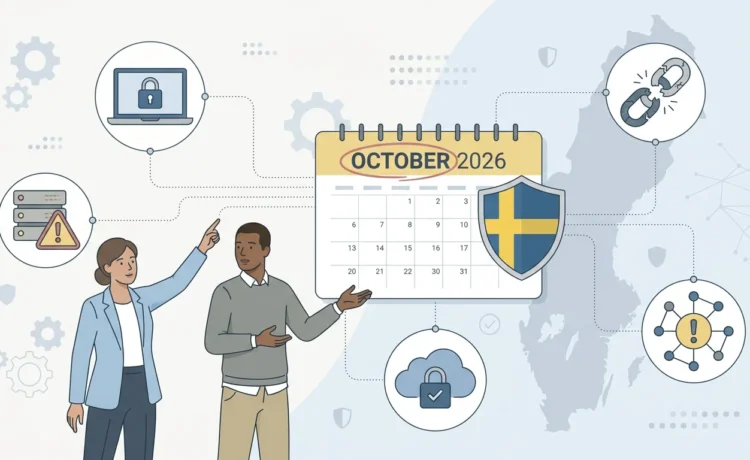
Most of us have learned to be careful with emails. We know to watch out for strange attachments, fake login pages and messages claiming urgent action. But there’s a newer threat that feels much less obvious, hackers weaponizing calendar files, especially iCalendar (.ics) invites, to launch phishing campaigns and ICS malware attacks that quietly bypass traditional email defenses.
Instead of sending a typical phishing email, attackers now send what looks like a normal meeting request. Behind that “HR Policy Update” or “Security Briefing” invite, there may be a malicious link leading to a fake login page, a malware download or a site designed to steal sensitive information. Because calendar files are seen as harmless and helpful, both people and security tools often underestimate how risky they can be. That’s exactly what makes calendar invite phishing so effective.
This article explains how these attacks work, why traditional email security often fails to stop them and what you can do to stay safe from calendar-based phishing and ICS file exploit techniques.
Why Calendar Files Became an Attractive Target
To understand this new attack vector, it helps to know what a calendar file actually is. When someone sends you a meeting invitation from Outlook, Google Calendar or Apple Calendar, that invite is often based on a standard format called iCalendar usually with a .ics file extension. Inside that file, there are text fields that describe the event, the title, start and end time, description, location and sometimes a link to join an online meeting.
These files are:
- Plain text
- Lightweight and easy to send
- Compatible with almost every calendar app
- Treated as routine and “safe” in most organizations
The iCalendar format was designed for convenience, not security. It was meant to make scheduling and sharing events simple, across different platforms and devices. That very simplicity is what attackers now exploit. Because calendar files blend into everyday workflows, they create an almost perfect channel for calendar invite phishing and stealthy ICS malware attacks that don’t look dangerous at first glance.
From a hacker’s perspective, calendar files are ideal. They are trusted, under-inspected and automatically processed by calendar apps. People don’t stare at them with the same suspicion they might reserve for a strange email attachment. And that’s exactly the opportunity attackers are using now.
How Hackers Turn Calendar Invites into Attack Weapons
The trick is not especially technical. Attackers don’t need to reinvent the wheel, they simply hide malicious content in the same fields that normally hold meeting information. A single ICS file exploit can be enough to get a user to click, log in or download something harmful.
A malicious calendar file might look perfectly legitimate when it appears in your calendar. It may have a realistic title like “Annual Performance Review,” “Payroll Adjustment Meeting” or “Security Awareness Update.” The danger lies in the link hidden inside its description, location or URL fields.
Instead of a conference room name or a Teams/Zoom link, the “Location” field might contain a URL that leads to a fake login page. The description might include instructions to “log in here before the session” with a link that looks similar to your company’s portal but is controlled by the attacker. Your calendar app will display this information in a friendly, polished interface making the whole event feel official and trustworthy.
When the scheduled time arrives, you see a reminder pop up and click “Join” or “Open link” without thinking too much about it. You trust your calendar. That’s the moment the calendar invite phishing attack succeeds. You might enter your username and password into a cloned login page or download a file that installs malware or grant permissions to a malicious app that abuses your cloud account. All of this begins with a calendar invite that felt completely ordinary.
In some cases, attackers also abuse calendar platforms that automatically add events. If your settings or integrations auto-create events from incoming invites, malicious meetings can appear in your calendar without you ever clicking “Accept.” Even if you ignore them, those events may sit there with tempting links waiting to be clicked during a busy day. Over time, this kind of persistence makes ICS malware attacks more likely to succeed.
In short, calendar phishing attacks work by hiding dangerous links inside something users rarely question, their meeting invites.
ICS File Exploit Tactics: From Phishing to Malware
Not every attack stops at stealing passwords. Some ICS file exploit tactics are explicitly designed to deliver malware or open the door for more advanced compromises.
Instead of only stealing credentials, attackers can use .ics files to point to:
- Malicious downloads (for example, a fake “update.exe”)
- Remote scripts hosted on attacker-controlled servers
- Websites that deliver ransomware or info-stealing malware
The invite might look like a normal “software update” meeting with a link like:
“Click here to download the update before the session.”
But the file you download is actually part of a broader ICS malware attack, silently installing a backdoor or keylogger. In other cases, criminals craft malformed calendar files to take advantage of bugs in how certain calendar apps parse .ics data, chaining an ICS file exploit with other vulnerabilities to deepen their access.
The key idea is simple, attackers are repurposing a productivity feature into a delivery mechanism for both calendar invite phishing and malware campaigns.
Why Traditional Email Defenses Often Miss Calendar-Based Phishing
You might assume that because your organization uses a Secure Email Gateway (SEG) or strong email filtering, these threats are already blocked. Unfortunately, many defenses are still focused on traditional email and don’t fully cover how .ics files are used.
Email security tools are very good at scanning message bodies, checking file types like PDFs and Office documents and rewriting URLs inside the email itself. But they often treat calendar files as low-risk. Some tools don’t parse the internal structure of .ics files deeply enough to inspect every field where a malicious URL might be hiding. Others may see the file extension, categorize it as benign and let it pass through with minimal inspection.
Even when some scanning is done, links buried in calendar metadata aren’t always rewritten, analyzed or sandboxed in the same way as links in a normal email message. That means a phishing URL inside an event description or location field might avoid the usual safeguards, sliding quietly into the user’s calendar and enabling calendar invite phishing to bypass protections that would stop a traditional email phish.
There’s another important angle, the attack moves away from email entirely once the event is accepted. After you click “Accept,” the meeting leaves your inbox and becomes part of your calendar. At that point, your email gateway is no longer in the path. Reminders are generated by the calendar app, not by email. The event syncs freely to your mobile phone, tablet and laptop. The link can be clicked from any device where your calendar is available including personal phones that may have fewer protections.
Layered on top of all this is human behavior. Many people have been trained to be cautious with emails, but far fewer have been warned about ICS malware attacks or calendar-focused threats. When an invite appears with your company’s name, an HR-related title or something that sounds like a scheduled internal meeting, you are much more likely to trust it. Hackers know this and design their lures to sound formal, urgent and routine.
A Realistic Scenario: The “HR Policy Update” Trap
Imagine a simple scenario that shows how dangerous these calendar file attacks can be.
An attacker crafts a calendar invite titled “HR Policy Update: Mandatory Meeting.” The description explains that all employees must attend and asks them to “log into the HR portal using the secure link below before the session starts.” The link in the event points to a fake login page that looks very similar to your real HR or company portal.
The attacker emails this .ics file to many employees at once. The email itself is brief and boring, “Please find attached the HR meeting invitation.” Your email security system sees a small calendar attachment and considers it low risk, allowing it through without blocking or quarantining it.
You open the invite because HR-related messages are usually important. You accept it and now the meeting is scheduled on your calendar.
The next day, a reminder pops up: “HR Policy Update: Mandatory Meeting – starts in 10 minutes.” You click the “Join” or “Open link” button without thinking much about it, because that’s what you do for most internal meetings. Your browser opens a page that looks just like your company’s login screen. You type in your username and password.
At that moment, you’ve handed your credentials to the attacker.
With those credentials, the attacker can log into email, cloud storage, internal portals and potentially move deeper into systems. They may use your account to send more calendar invite phishing messages, approve fake financial transactions, access confidential files or help prepare a ransomware incident. All of this begins with what looked like a simple calendar invite about HR policies, not an obvious ICS file exploit, but effectively the same thing.
What Attackers Gain from Calendar-Based Phishing
Although the calendar invite itself is just the starting point, the outcomes can be serious. Once attackers get what they want usually credentials or an initial foothold they can:
- Take over email accounts and impersonate trusted employees
- Send internal messages to other staff, partners or customers that look completely legitimate
- Trick finance teams into paying fake invoices or changing bank details
- Access cloud apps like Microsoft 365 or Google Workspace using stolen logins
- Drop malware or ransomware into the environment after moving laterally through systems
This is why calendar invite phishing and ICS malware attacks are more than just an annoyance. They can be the opening move in a chain of events that leads to data breaches, financial losses and operational disruption.
How to Protect Yourself and Your Organization from Calendar File Attacks
The good news is that you don’t need to fear every meeting invite. Instead, you need to treat calendar files with the same healthy skepticism you already apply to email.
On an individual level, the first defense is simply awareness. If you receive a calendar invitation that you weren’t expecting or that seems unusually urgent or serious especially if it involves HR, payroll, security updates or payments, pause before accepting it or clicking on any links. Ask yourself whether anyone mentioned this meeting in advance. If it claims to come from a specific department, quickly verify with that team through another channel like chat, phone or your official company portal.
Links in calendar invites should be handled just like links in emails. If a meeting reminder asks you to “log in here,” consider manually typing your company’s official URL into your browser instead of clicking the link. If the address behind the link looks strange or unrelated to your organization, don’t trust it. This single habit dramatically lowers the success rate of calendar invite phishing and many ICS file exploit attempts.
For organizations, it’s important to recognize that calendars are now part of the attack surface. IT and security teams should review how their email security solutions handle .ics files and whether URLs inside calendar metadata are being scanned and where appropriate, rewritten or blocked. Policies can be adjusted so that external calendar attachments are treated with more caution or even quarantined by default.
Another useful step is to limit automatic event creation. Wherever possible, disable settings that auto-add calendar events from any external source. Requiring manual acceptance gives users more control and an extra moment to notice something suspicious crucial when trying to stop ICS malware attacks before they spread.
Security awareness training should also evolve. Many programs already teach people how to spot phishing emails, but now it’s time to include calendar phishing attacks as a specific topic. Show real examples of fake meeting invites, explain how hackers hide malicious links in descriptions and locations and remind staff that a calendar reminder can be just as dangerous as a dodgy email.
Finally, security and operations teams can monitor for suspicious activity around logins and cloud access especially following waves of calendar invites. Unusual login attempts, access from new locations or repeated login failures shortly after a meeting reminder may signal that someone clicked a malicious link tied to an ICS file exploit.
Calendars Are No Longer Just Productivity Tools
The rise of hackers weaponizing calendar files is part of a wider pattern, attackers move to whatever communication channel is trusted and underprotected. As email defenses improve, they look for new ways in through collaboration tools, document sharing platforms, messaging apps and now, calendar invites.
The key lesson is simple but powerful, if a tool helps people communicate or coordinate, it can be misused as an attack vector.
Calendar files and .ics invites are no exception. They are incredibly useful but they are also potential delivery mechanisms for ICS malware attacks, calendar invite phishing and targeted ICS file exploit campaigns. By treating them with the same level of care as regular email, updating security controls and educating users, organizations can stay ahead of this emerging threat.
In the end, staying safe doesn’t mean cancelling all your meetings. It means recognizing that not every “meeting” is what it seems and that your calendar, just like your inbox, deserves a security mindset.